
Richland County Warrant Searches
Start with the South Carolina Judicial Branch Public Index to locate a court case by county, city, or ZIP. It is a court roster and case index, not a single current-warrant search, and it does not cover every municipal, magistrate, or agency record in one result. Choose the court named on the paper whenever possible.
Keep the ticket, notice, or case number nearby, along with the issuing court and date. A full name can help a clerk locate a file, but share a birth date only through an official channel. If a result suggests an outstanding order, ask the issuing clerk or a lawyer what it means before taking a step.
- Open the state Court Roster Search and select Richland County, then narrow by city, ZIP, or the court shown on your paperwork.
- Search using the case or citation number when the court index offers that route. Use a name only as directed by the official court screen.
- For a municipal or magistrate matter, contact that court directly; the county index may not show every local warrant or service event.
- Call the RCSD Warrant Division at 803-576-1469 for agency routing, or ask the issuing clerk for court status. Request a copy through the county or agency FOIA process when you need a document.
- South Carolina has no single public statewide current-warrant search identified here. SLED CATCH is a criminal-history product, not a substitute; ask the named court or counsel about next steps.
Richland County Public Index Search Starts by Place
Open the South Carolina Judicial Branch Court Roster Search and begin with county, city, or ZIP. The entry screen is an access point to court records, not a single Richland County warrant database. It may require cookies and JavaScript, and the court or agency choice can change what appears.
For Columbia Municipal Court, the city’s case-information instructions say to choose “Columbia Municipal Court” under Agency. Richland County maintains those records, but the city court remains the right place to ask about warrant status, payment, or a required appearance.
The image below comes from the official Court Roster Search entry page and shows no person-level result.
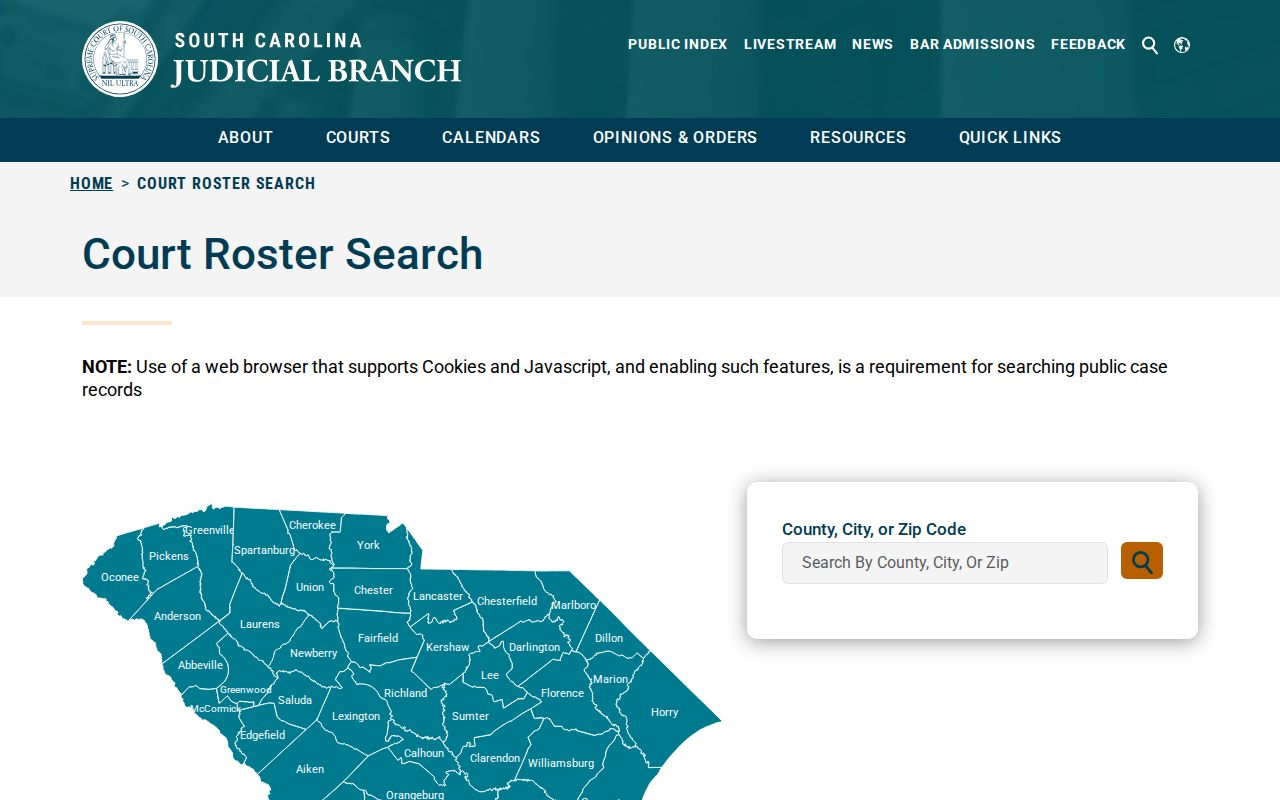
This geography-first path helps locate a case; a clerk must still confirm any warrant status.
What a Warrant Search Asks For
The official search entry exposes location choices, not a public person-name warrant form. The fields below reflect the documented interface and related court routes. Do not enter a name, birth date, or other sensitive detail into a third-party page that imitates an official search.
| Field Label | Type | Required | Notes |
|---|---|---|---|
| County | Location choice | Choose a place | Select Richland County when the matter is local. |
| City | Location choice | Optional route | Use the city named on the ticket or court paper. |
| ZIP code | Location entry | Optional route | The entry page offers geography-based routing. |
| Agency | Court index selection | Depends on case | Columbia cases may require “Columbia Municipal Court.” |
| Case or ticket number | Official court/payment tool | When requested | Use the identifier printed on the court paper; no common county warrant format was located. |
Richland County Active Warrant List Is Not Public
RCSD’s Warrant Division page lists an official phone contact, but research found no public warrant search form, current downloadable active-warrant list, or anonymous status tool. A clerk or deputy may refer a caller to another office because the issuing court owns the court status question.
That gap is useful to know. It prevents a reader from mistaking an empty county page for proof that no warrant exists. Check the court on the paper, then ask the serving agency only if the question concerns service or agency records.
The image below comes from the RCSD Uniform Division page and documents the unit contact, not a public search form.
Use the contact as a routing path and ask the court for the docket or order.
Richland County Warrant Search Results
A Public Index match may show case and docket details, but the research did not establish a fixed set of warrant-result fields. Read the court, agency, number, and event date first. Then call the clerk and ask whether the docket reflects an issued, served, recalled, or otherwise changed warrant.
| Case number | Use the number printed on the paper. No single Richland County warrant format was located: case number on notice |
|---|---|
| Charge / event | Use the court’s exact wording and ask what event it records. |
| Issuing court | Shows which court to contact for status and next dates. |
| Bond | Do not infer a bond amount from a case index. |
| Warrant status | Confirm current status directly with the court or named agency. |
Richland County Warrant Status and SLED CATCH
SLED CATCH is a name-based criminal-history service. It is not a current-warrant confirmation tool, and identity matches can be wrong or incomplete. Use it only for the criminal-history purpose SLED describes, not as a substitute for the Richland County court or sheriff.
| Source | Useful for | Does not confirm |
|---|---|---|
| Public Index | Public court case and docket leads | Every active warrant or service event |
| SLED CATCH | South Carolina criminal-history search | Whether a current warrant is active |
| Issuing clerk | Current court-file status and next step | Agency service details held elsewhere |
Richland County Warrants: Who Holds What
General Sessions warrant and docket questions go to the Richland County Clerk of Court’s Criminal Records line at 803-576-1939. Magistrate cases go to the named magistrate; Columbia, Irmo, Forest Acres, and other municipal matters have separate court contacts. RCSD Warrant Division handles agency-side questions at 803-576-1469.
South Carolina has no single public statewide current-warrant search located in this research. The county’s Criminal Court page, county magistrate directory, state court index, and issuing municipal court each answer different questions. If a case crosses county or state lines, ask the court on the paperwork to identify the correct jurisdiction.
Richland County Court Warrant Calls and FOIA
If an online search stops short, call the office that holds the record. General Sessions uses Criminal Records at 803-576-1939; Central Magistrate can route an unclear county matter at 803-576-2300; the RCSD Warrant Division is 803-576-1469. Columbia Municipal Court publishes 803-545-3166 for arrest and bench-warrant questions.
For a copy rather than a status answer, use the Richland County Public Records page or the RCSD written FOIA route, depending on who holds the paper. Name the court, date range, case number, and document. Ask for a redacted record and fee estimate when useful.
Richland County Warrant Search Privacy
Use the least sensitive identifier the official court asks for. Irmo’s citation-payment interface offers a long citation number along with more sensitive choices, including driver-license, vehicle, and Social Security number plus date of birth. That screen is for citations and payments, not a confirmed warrant search.
Do not put a full birth date, license number, Social Security number, plate, or another person’s case details into a public post or screenshot. If the official system asks for identity details, check the web address and privacy notice first, or call the clerk and ask for a phone-based option.
Which Warrants Stay Restricted
Public access in Richland County follows the South Carolina Freedom of Information Act, court rules, and record-specific limits. Juvenile files, sealed matters, investigative material, and sensitive victim or witness details are not ordinary search content. Even when a docket is open, an affidavit or agency file may be withheld in whole or part.
Key Rules:
Sealed court material is not made public merely because a case appears in an index.
South Carolina juvenile law sets added confidentiality limits.
A blank search may reflect another court, a recent update, or restricted access; it is not a no-warrant certificate.